
GParted 1.1 has been released. Here is how to install GParted in Ubuntu LInux. The GNOME Partition Editor, GParted is a free partition editor for graphically managing your disk partitions.
With GParted you can resize, copy, and move partitions without data loss, enabling you to grow or shrink your C: drive, create space for new operating systems and attempt data rescue from lost partitions.
- Perform actions with partitions such as:
- create or delete
- resize or move
- check
- label
- set new UUID
- copy and paste
- Manipulate file systems such as:
- btrfs
- ext2 / ext3 / ext4
- fat16 / fat32
- hfs / hfs+
- linux-swap
- lvm2 pv
- nilfs2
- ntfs
- reiserfs / reiser4
- udf
- ufs
- xfs
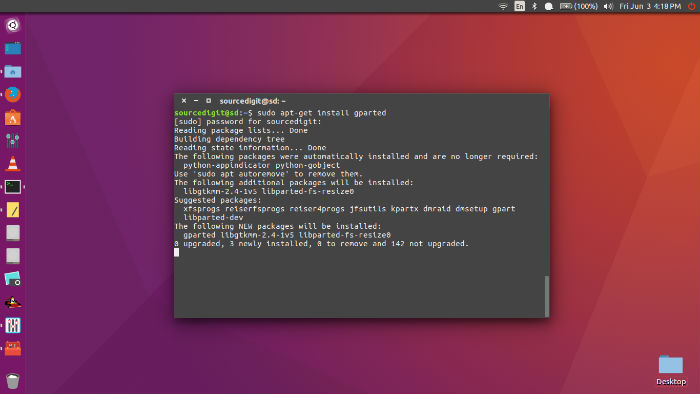
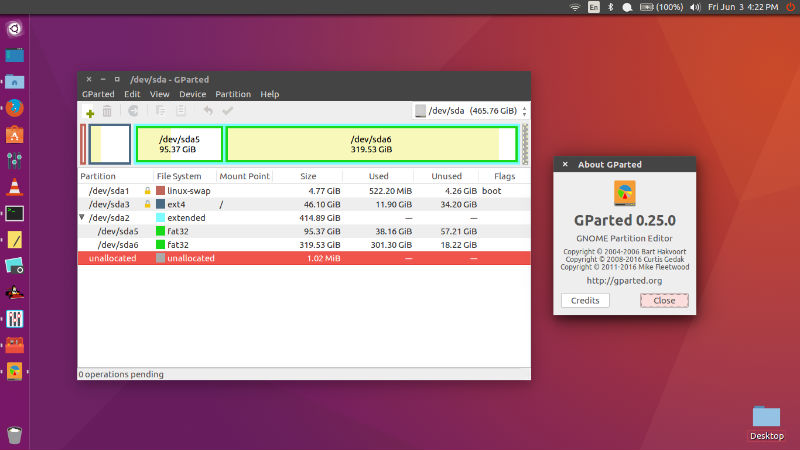
GParted 1.1
This release of GParted includes enhancements, bug fixes and language translation updates.
Key changes include:
- Fix error when moving locked LUKS-encrypted partition
- Switch to faster minfo and mdir to read FAT16/32 usage
- Calculate JFS size accurately
- Recognise ATARAID members and detect their busy status
Bug Fixes
- Fix test (dentry->d_name is invalidated by closedir…) (!41)
- Fix error when moving locked LUKS-encrypted partition (#48, !44)
- Add missing window title to Help Contents dialog (!45)
- Switch to faster minfo and mdir to read FAT16/32 usage (#569921)
- Whole device FAT32 file system reports device busy warning from mlabel (!46)
- Fix “invalid argument for seek()” error on very small (<=40KiB) drives (#16)
- Remain with CentOS 7 for GitLab CI (!48)
- Add file system interface tests (!49)
- Calculate JFS size accurately (!50)
- Recognise ATARAID members and detect their busy status (#75, !51)
- Rename members and variables currently named ‘filesystem’ (!52)
Download GParted
Download gparted-live-1.1.0-1-i686.iso
Download gparted-live-1.1.0-1-amd64.iso
Stable directory (.iso/.zip) (for i686, i686-pae and amd64 architectures)