
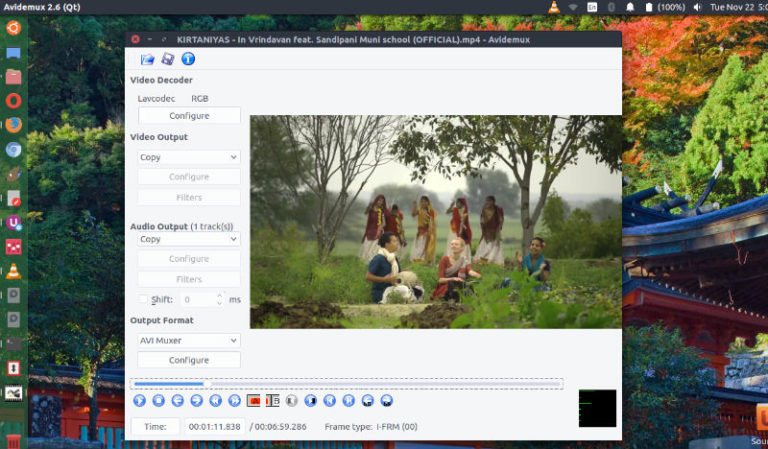
Install Avidemux Video Editor on Ubuntu Linux. Avidemux 2.6.15 is the latest release of video editor for Ubuntu Linux System. Avidemux 2.6.15 brings various hardware changes and fixes. Avidemux is a free video editor designed for simple cutting, filtering and encoding tasks. It supports many file types, including AVI, DVD compatible MPEG files, MP4 and […]
Fix: Ubuntu Show Copy / Move Dialog Not Working

Restore file transfer dialog window. On Ubuntu Nautilus, show copy dialog or Nautilus file copy progress bar. Fix, when copying, deleting, or moving files there will be no progress dialog is shown. Fix: Ubuntu Show Copy / Move Dialog Not Working There are several ways to see copy progress or restore file transfer status window […]
Customize Notifications On Ubuntu; Install Notify OSD Ubuntu Using Ppa:Leolik/Leolik

Customize Notifications Bubbles in Ubuntu Linux. Install Notify OSD on Ubuntu using ppa:leolik/leolik. The new, patched Notify-OSD brings various new features such option to move the notifications and set notification background colors and notification text colors. Users can also change the opacity and size of various NotifyOSD notification elements. Notify OSD provides a notification system […]
Fix – Ubuntu Cursor Not Moving Or Ubuntu Mouse Cursor Invisible

Many users have complaint that on Ubuntu 16.04, mouse pointer disappears or Ubuntu cursor not moving. On Ubuntu, if you can’t see mouse pointer, you must check if the mouse is recognized by Ubuntu Linux. If it’s recognized and still not working, you will need to execute some commands in terminal to fix this issue. […]
How To Install Go Programming Language On Linux Ubuntu

How to install Go 1.7 in Linux Ubuntu. GoLang (Go Programming Language) for Linux Ubuntu is an open source programming language that makes it easy to build simple, reliable, and efficient software. Go is an open source project developed by a team at Google and many contributors from the open source community. Go 1.7 is […]
Install MuPDF On Ubuntu Linux; PDF Viewer & E-book Viewer For Linux

Install MuPDF 1.10 on Linux Ubuntu Systems. MuPDF is a lightweight PDF viewer and E-book viewer for Linux Ubuntu Systems. MuPDF supports PDF 1.7 with transparency, encryption, hyperlinks, annotations, searching and more. MuPDF also reads many other document and e-book formats, such as XPS, OpenXPS, CBZ, EPUB and FictionBook 2. MuPDF 1.10 is the latest […]