
G’MIC Plugin for GIMP image editor on Linux Ubuntu. Install G’MIC 1.6.9 (GIMP Plugin) on Ubuntu 15.10, Ubuntu 15.04, Ubuntu 14.04 and Ubuntu 14.10. G’MIC is a full-featured open-source framework for image processing. It provides several different user interfaces to convert/manipulate/filter/visualize generic image datasets, ranging from 1d scalar signals to 3d+t sequences of multi-spectral volumetric […]
How To Install QuiteRSS 0.18.3 (RSS Reader) On Linux Ubuntu
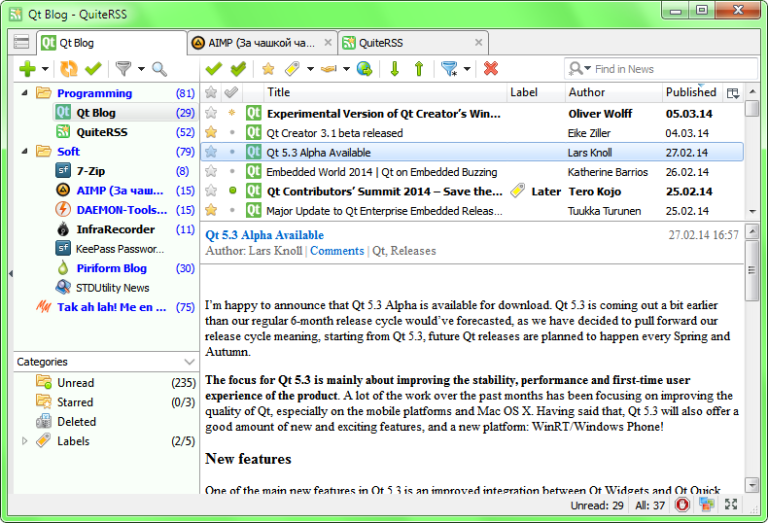
RSS Reader for LInux Ubuntu Systems. How to install QuiteRSS 0.18.3 (RSS Reader) on Linux Ubuntu 15.10, Ubuntu 15.04, Ubuntu 14.04, Ubuntu 14.10 and Linux Mint Systems. QuiteRSS RSS reader is written on Qt and C++ and comes with some powerful features. QuiteRSS 0.18.3 is the latest version of the RSS Reader. QuiteRSS 0.18.3 has […]
How To Install Linux Kernel 4.4.1 On Ubuntu
Upgrade to Linux Kernel 4.4.1 (stable release) on Ubuntu. How to install Linux Kernel 4.4.1 on Ubuntu 15.10, Ubuntu 15.04, Ubuntu 14.04 and Ubuntu 14.10 Systems. Announcing the Kernel 4.4.1 release, Greg Kroah-Hartman wrote: The Performance Monitors extension is an optional feature of the AArch64 architecture, therefore, in order to access Performance Monitors registers safely, […]
Install Atom 1.4.3 Text Editor On Linux Ubuntu Systems
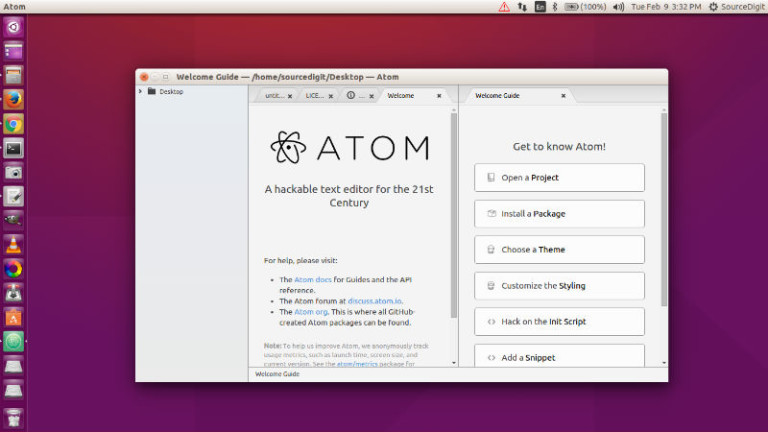
Install Atom 1.4.3 text editor on Linux Ubuntu Systems, via webupd8team PPA. Terminal commands to install Atom on Ubuntu 15.04, Ubuntu 14.04, Ubuntu 15.10 and Ubuntu 14.10. Atom is a powerful multi-platform text editor developed by GitHub. It is known for its powerful features and an intuitive graphical user interface. The Atom text editor supports macros, […]
Install Avidemux Video Editor Software on Linux Ubuntu Systems
Ubuntu Linux tool Avidemux video editor software for video editing. Install Avidemux 2.6.11 Video Editor on Ubuntu 15.04, Ubuntu 14.04, Ubuntu 15.10 and Ubuntu 14.10 Systems. Avidemux is a free video editor designed for simple cutting, filtering and encoding tasks. It supports many file types, including AVI, DVD compatible MPEG files, MP4 and ASF, using […]
Install Linux Kernel 4.5 RC 3 On Ubuntu 15.04 & Ubuntu 14.04
Download and upgrade Linux kernel 4.5 RC3. Install Linux Kernel 4.5 RC 3 on Ubuntu 15.04, Ubuntu 14.04, Ubuntu 15.10 and Ubuntu 14.10 Systems. Linux 4.5 RC 3 brings fixes for AMDGPU, including updated drivers and various patches. Releasing Linux Kernel 4.5 RC 3, Linus Torvalds said: “It’s slightly bigger than I’d like, but not […]