
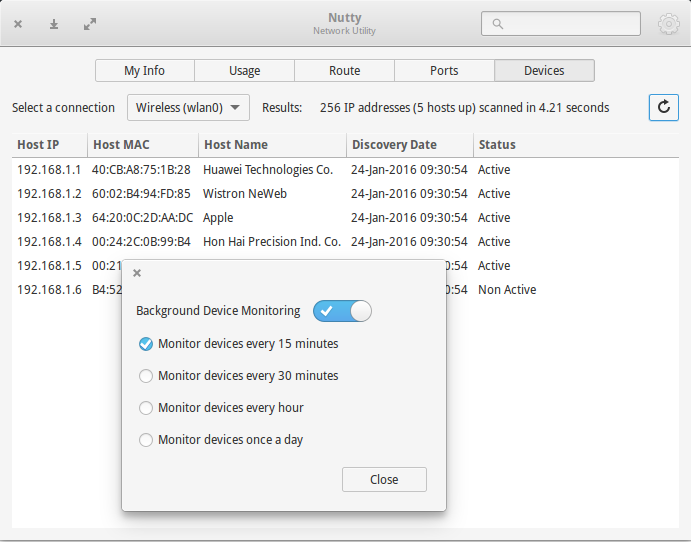
Network Diagnostic Tool for Linux Ubuntu. Install Nutty on Ubuntu 15.10, Ubuntu 15.04, Ubuntu 14.04, Ubuntu 14.10 and Linux Mint. Using Nutty, monitor network usage and device. Nutty is a powerful network utility application to provide essential information on network related aspects. The information is broken into the following presented in a tab view. (1) […]
How To Install Google Chrome 48.0 on Ubuntu Systems

Google Chrome 48.0 for Linux Ubuntu Systems. How to install Google Chrome 48.0.2564.82 on Ubuntu 15.10, Ubuntu 15.04, Ubuntu 14.04 and Ubuntu 14.10 System. Chrome 48.0.2564.82 update includes 37 security fixes. Below, we highlight fixes that were contributed by external researchers. High CVE-2016-1612: Bad cast in V8. Credit to cloudfuzzer. High CVE-2016-1613: Use-after-free in PDFium. […]
Install Mozilla Firefox 44.0 on Ubuntu 15.10 & Ubuntu 15.04

Mozilla Firefox 44.0 released with Web Push feature. Install Mozilla Firefox 44.0 on Ubuntu 15.10, Ubuntu 15.04, Ubuntu 14.10, Ubuntu 14.04 and Ubuntu Derivatives. Firefox 44 has been released with an improved warning pages for certificate errors and untrusted connections. The latest version of Firefox now can enable H.264 (only if system decoder is available) […]
Install SubDownloader & Download Subtitles Automatically In Ubuntu
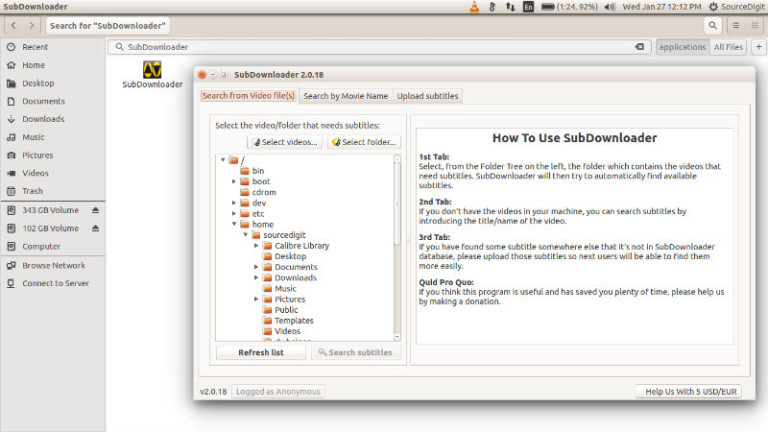
Download subtitles automatically in Ubuntu. Install SubDownloader on Ubuntu 15.10 and Ubuntu 14.04. SubDownloader can be used to download and upload subtitles on Linux Ubuntu Systems, in different languages. Subdownloader is a Free Open Source tool written in Python for automatic download/upload subtitles for videofiles (MKV,MP4,AVI,etc) using fast hashing. SubDownloader automatically finds and download/upload subtitles […]
Install Cutegram 2.7.1 Telegram Client on Ubuntu 15.10

Cutegram Telegram Client App for Linux Ubuntu Systems. Install Cutegram 2.7.1 on Ubuntu 15.10, Ubuntu 15.04, Ubuntu 14.04, Ubuntu 14.10 and Linux Mint Systems. Cutegram is a free and opensource telegram clients for Linux, Windows, OS X and OpenBSD, focusing on user friendly, compatibility with desktop environments. Cutegram using Qt5, QML, libqtelegram, libappindication, AsemanQtTools technologies […]
install Qmmp 1.0.5 (Winamp-Like Music Player) on Ubuntu 15.10 & Ubuntu 14.04

Install Winamp like media player on Ubuntu. Terminal commands to install Qmmp 1.0.5 (Winamp-like music player) on Ubuntu 15.10, Ubuntu 14.04, Ubuntu 15.04 and Ubuntu 14.10. Qmmp is a popular multimedia player similar to Winamp music player. Qmmp supports various multimedia file (video and audio) formats. Some of the most popular multimedia formats that is […]