
How to install Wine 1.8 on Ubuntu 15.10, Ubuntu 14.04 and Ubuntu 15.04. Download and install Wine 1.8 (Stable) via PPA in Ubuntu Linux. The Wine team is proud to announce that the stable release Wine 1.8 is now available. This release represents 17 months of development effort and around 13,000 individual changes. The main […]
Install LibreOffice 5.0.4 on Ubuntu 15.10 & Ubuntu 14.04
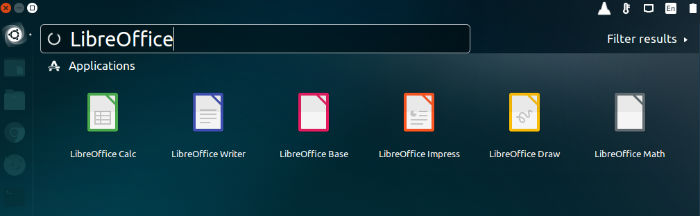
Install LibreOffice 5.0.4 on Ubuntu 15.10, Ubuntu 14.04 and Ubuntu 15.04, via PPA. LibreOffice 5.0.4 is the fourth bugfix release of the 5.0.x branch of LibreOffice which contains new features and program enhancements. LibreOffice 5.0.4 Features: LibreOffice 5.0.4 has been released with various new features and improvements. Some of the most notable changes and new […]
Install FFmpeg on Ubuntu 15.10, Using Apt-Get (PPA)
Install FFmpeg on Ubuntu, using apt-get (PPA) on Ubuntu 15.10, Ubuntu 14.04 and Derivatives. FFmpeg is a command line tool to convert multimedia files on Ubuntu. FFmpeg is the leading multimedia framework, able to decode, encode, transcode, mux, demux, stream, filter and play pretty much anything that humans and machines have created. It supports the […]
How To Install Django 1.9 on Ubuntu

Django Ubuntu install guide. How to Install Django 1.9 on Ubuntu 15.10, Ubuntu 14.04 and Ubuntu 15.04. Django is a free and open source web application framework, written in Python, which follows the model–view–controller (MVC) architectural pattern. Django’s primary goal is to ease the creation of complex, database-driven websites. Django is a high-level Python Web […]
How To Create Time Lapse Video From Pictures On Ubuntu
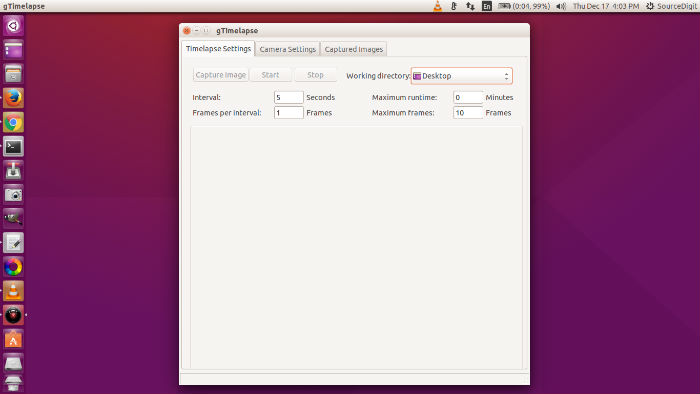
How to create time lapse video from pictures on Ubuntu. Install GTimeLapse app on Ubuntu 15.10 and Ubuntu 14.04 and make a Stop Motion Video (Time Lapse Video) on Ubuntu Linux Systems. GTimeLapse is a wonderful Linux application for capturing timelapse videos [photography]. It is an application for capturing images to generate timelapse videos, built […]
Take A Break On Ubuntu, An App That Helps You To Actually Take A Break
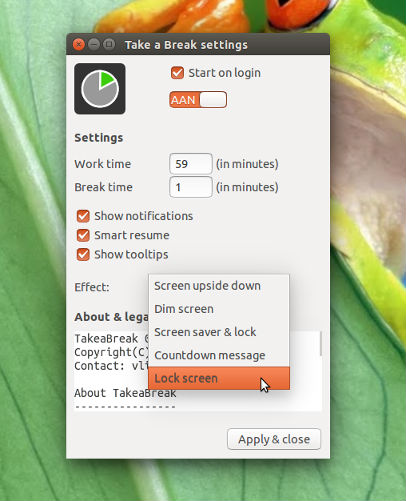
Install Take A Break app on Linux Ubuntu 15.10, Ubuntu 14.04 and Derivatives. Take a Break is a small application to force users (gently) to take periodical breaks, to prevent spending too much time in one session. The application divides time in two sections: up-time and break-time. After the up-time has passed, the computer switches […]