

How to install Krusader on Ubuntu 16.10 and Ubuntu 16.04 Systems. Krusader is a twin panel file manager for Linux Ubuntu Desktop. Krusader is an advanced twin panel (commander style) file manager for KDE and other desktops in the *nix world, similar to Midnight or Total Commander. It provides all the file management features you […]
Ubuntu
Latest Ubuntu news updates, Ubuntu tutorials and tips for Ubuntu Linux. Learn to use one the most popular Linux distros. Get the updates and latest releases for Ubuntu.
Install Shotcut Video Editor On Ubuntu via Snap
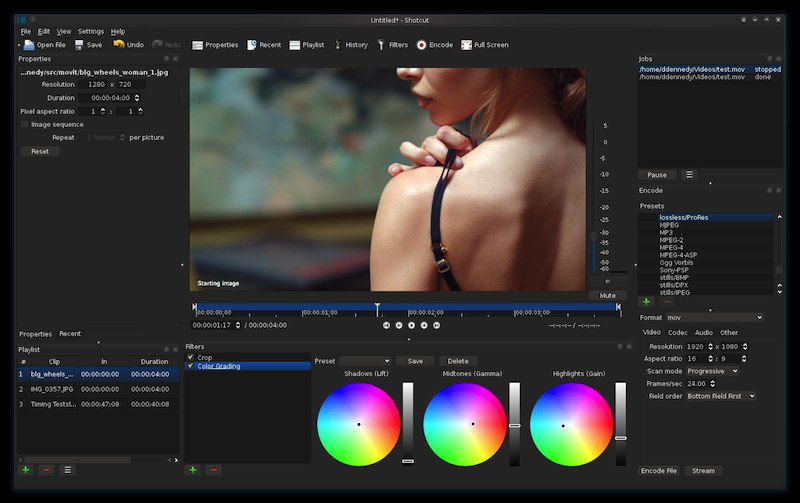
Install Shotcut video editor on Ubuntu via Snap. Shotcut Video Editor is a powerful video editing software that supports oodles of audio and video formats including many image formats such as BMP, GIF, JPEG, PNG, SVG, TGA, TIFF as well as image sequences. You don’t have to import anything as it supports native editing and […]
How To Enable Hibernate Option On Ubuntu 16.10 System
How to enable Hibernate option in Ubuntu 16.10 Linux System. In Ubuntu Hibernate is not enabled by default, users can use ubuntu hibernate command to enable Hibernate option on Ubuntu Systems. When the computer hibernates, all the applications and documents are stored and the computer completely switches off so it does not use any power, […]
How To Search Files On Ubuntu – Install FSearch Utility On Ubuntu

Want to know how to search a file in Ubuntu? Install FSearch utility on Ubuntu. on Ubuntu, Fsearch can find file recursive or find a directory also. It is similar to locate command in Ubuntu. FSearch is a fast file search utility for GNU/Linux operating systems, inspired by Everything Search Engine. It’s written in C […]
Install Peek GIF Screen Recorder On Ubuntu
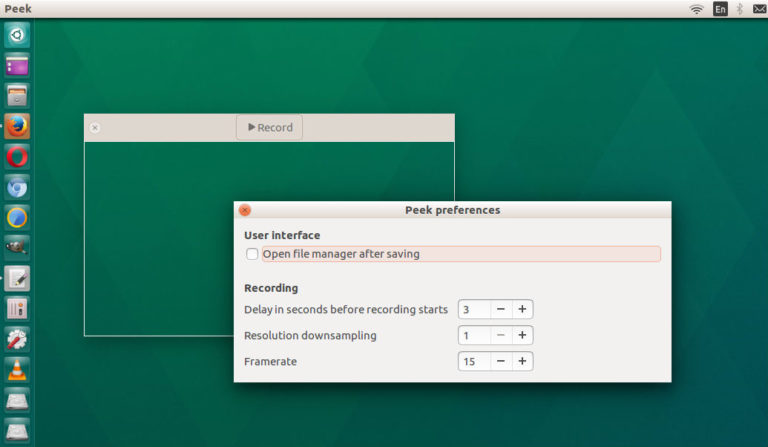
Install Gif recorder on Ubuntu Linux Systems. Install Peek, animated GIF screen recorder tool for Linux Ubuntu Systems. Peek creates animated GIF screencasts using ffmpeg and imagemagick. It was built for the specific use case of recording screen areas, e.g., for easily showing UI features of your own apps or for showing a bug in […]
Install Flat Plat Material Design Theme On Ubuntu

Install Flat Plat Material Design Theme for Ubuntu Linux Systems. Flat Plat is a Material Design-like theme for GNOME/GTK+ based desktop environments. It supports GTK3, GTK2, Metacity, GNOME Shell, Unity, MATE, LightDM and GDM. Features Supports ripple effect animations (only GTK3 apps). Supports both light and dark variants. Supports dark or light titlebar versions. Supports […]