

How to enable low graphics mode on Ubuntu 16.10 and Ubuntu 16.04 Systems. Enable low graphics mode in Ubuntu. Unity 7 low graphics mode can be enables and speed up Ubuntu Systems. Running system on low graphics mode can make Ubuntu faster. Low graphics mode can bring various improvements to reduce the amount of visual […]
Ubuntu
Latest Ubuntu news updates, Ubuntu tutorials and tips for Ubuntu Linux. Learn to use one the most popular Linux distros. Get the updates and latest releases for Ubuntu.
Install LibreOffice 5.3 On Ubuntu Linux Systems
Download LibreOffice 5.3. Install LibreOffice 5.3 on Ubuntu Linux Systems. LibreOffice 5.3 brings many new UI changes and features. LibreOffice 5.3 Features Writer has a new dialog for quickly jump to another page that is available through Edit > Go to Page and Ctrl+G. Keyboard shortcuts now appear in context menus and its visibility can […]
Install Min On Ubuntu – A Faster Web Browser For Linux Ubuntu

Install Min web browser on Ubuntu. Min is a smarter, faster web browser for Linux Ubuntu Systems. Min comes with various features such as it fetches information from DuckDuckGo in the searchbar. It has a built-in ad and tracker blocking function with fuzzy search, full-text search for bookmarks, reading list and many tabs improvement features. […]
Install Stacer Ubuntu System Optimizer

How to make Ubuntu faster. If your Ubuntu is running very slow, here’s how to optimize Ubuntu; speed up Ubuntu boot and other Ubuntu performance tweaks. Install Stacer Ubuntu system optimizer. The Stacer app is a wonderful tool to make Ubuntu faster. The application can be used to clean unwanted files, APT Cache and old […]
Install MyPaint On Ubuntu; An Alternative To MsPaint For Linux Ubuntu

MyPaint is the Ubuntu equivalent of MS Paint software. Install MyPaint on Ubuntu 16.10, Ubuntu 16.04 and Derivatives. MyPaint app is the MS Paint equivalent for Ubuntu Systems. MyPaint is a simple drawing and painting program that works well with Wacom-style graphics tablets. MyPaint is a nimble, distraction-free, and easy tool for digital painters. It […]
Darktable 2.2.2 Released With New Features; Install Darktable On Ubuntu
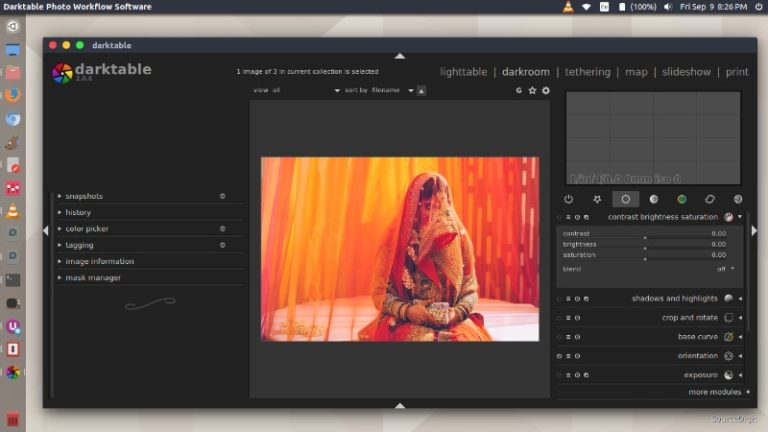
Install Darktable 2.2.2 on Ubuntu 16.10, Ubuntu 16.04, Ubuntu 15.04, Ubuntu 14.04, Ubuntu 15.10, Ubuntu 14.10 and other Ubuntu Derivatives. darktable is an open source photography workflow application and raw developer. A virtual lighttable and darkroom for photographers. It manages your digital negatives in a database, lets you view them through a zoomable lighttable and […]