
Customize Unity (Ubuntu 15.04 Desktop). Top 3 Ubuntu Unity Desktop customization tools. Install GNOME Tweak Tool On Ubuntu 15.04, Ubuntu 14.04/14.10. Install UNITY Tweak Tool via Ubuntu Software Center. Install Ubuntu Tweak Tool on Ubuntu 15.04, Ubuntu 14.04/14.10.
Install UNITY Tweak Tool On Ubuntu 15.04

Unity Tweak Tool is a settings manager for the Unity desktop. It provides users with a fast, simple and easy-to-use interface with which to access many useful and little known features and settings of the desktop environment that one may want to configure. Run the following command in Terminal to install UNITY Tweak Tool on Ubuntu 15.04.
sudo apt-get update

sudo apt-get install unity-tweak-tool
sudo add-apt-repository ppa:freyja-dev/unity-tweak-tool-daily

sudo apt-get update

sudo apt-get install unity-tweak-tool
You can also install UNITY Tweak Tool via Ubuntu Software Center.
Install GNOME Tweak Tool On Ubuntu 15.04

Open terminal and run this command for install GNOME Tweak Tool on Ubuntu 15.04.
sudo apt-get update

sudo apt-get install gnome-tweak-tool
Install Unity Tweak Tool on Ubuntu 12.10
By default, the Unity Tweak Tool works on Ubuntu 12.10 and higher version. Luckily if you want to install Unity Tweak Tool on Ubuntu 12.10, run the following commands:
sudo add-apt-repository ppa:freyja-dev/unity-tweak-tool-daily

sudo apt-get update

sudo apt-get install unity-tweak-tool
Install Ubuntu Tweak Tool On Ubuntu 15.04
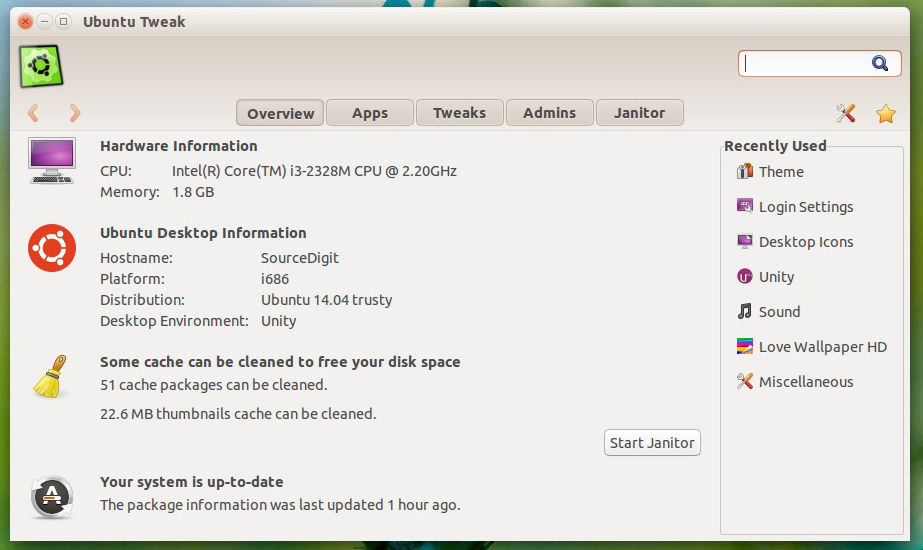
You cannot install Ubuntu Tweak on Ubuntu 15.04, Ubuntu 14.10 or Ubuntu 14.04 via PPA. You will have to manually install Ubuntu Tweak Tool on Ubuntu 15.04 system.
Follow the steps given below to install it manually on Ubuntu 15.04:
- Download the Ubuntu Tweak Tool .deb file from the official website.
- Open Terminal and go to the directory where you have downloaded the Ubuntu-Tweak .deb file.
- Run the following command in Terminal:
sudo dpkg -i ubuntu-tweak_0.8.7-1~trusty2_all.deb

sudo apt-get install -f