
• Skip to primary navigation
  • Skip to main content
  • Skip to primary sidebar
Source Digit

Source Digit

Linux, Ubuntu Tutorials & News, Technology, Gadgets & Gizmos

  • Home
  • How To
  • Ubuntu
  • Instagram
  • Blogging
  • Android
  • WordPress
  • +More
    • Cloud Computing
    • Gadgets
    • Social Media
    • Technology
  • Write for Us
Home / Ubuntu / Install VidCutter, A Video Cutter For Linux Ubuntu

Install VidCutter, A Video Cutter For Linux Ubuntu

By Sourabh / January 18, 2017 Category: How To, Ubuntu

How to cut and trim videos on Ubuntu Linux. Install VidCutter, a video cutter for Linux that can be used to crop videos on Linux Ubuntu. VidCutter is a cross-platform Qt5 based app for quick and easy video trimming/splitting and merging/joining for simple quick edits. FFmpeg based backend, which is supplied for Windows, and written in Python3 & the excellent PyQt5 GUI framework.

VidCutter app can be used to split large videos and merge them creating a new video file. It also brings some powerful video editing features.

Install VidCutter on Ubuntu
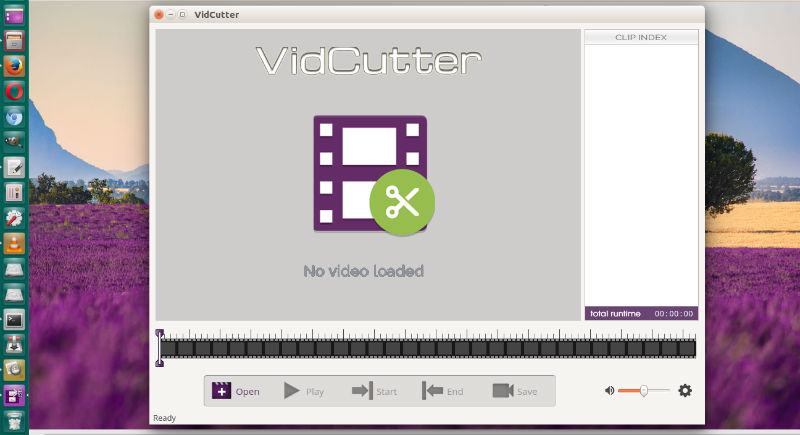
Run the following commands in terminal to install VidCutter on Linux Ubuntu Systems, via ozmartian PPA:

sudo add-apt-repository ppa:ozmartian/apps
sudo apt update
sudo apt install vidcutter

Once installed, open VidCutter from Ubuntu Dash or Terminal.

Uninstall VidCutter on Ubuntu

If you want to uninstall and remove the VidCutter app, run the commands:

sudo apt update
sudo apt remove vidcutter
sudo apt autoremove

More Info: http://vidcutter.ozmartians.com/

Tags: Crop Videos Linux, Crop Videos Ubuntu, Install VidCutter in Linux, Install VidCutter in Ubuntu, Install VidCutter in Ubuntu 16.04, Install VidCutter in Ubuntu 16.10, Linux Crop Videos, Ubuntu Crop Videos, Ubuntu PPA VidCutter, Ubuntu Video Cutter, Ubuntu Video Joiner, VidCutter PPA Ubuntu, VidCutter Ubuntu PPA, Video Cutter Ubuntu, Video Joiner Ubuntu

Primary Sidebar

Latest Posts

Use Locate Command To Find File In Linux Terminal By Name

How To Change Terminal Color In Ubuntu Command Line

How To Run Fsck Manually In Linux To Fix Unexpected Inconsistency

How To Fix Broken Packages On Ubuntu From Terminal

Re Execute The Previous Command In Linux Ubuntu Command Line

How Much RAM Is Needed For Ubuntu PC

How To Find Large Files And Directories In Linux Command Line

How To Use Clear Command History In Linux Terminal

Linux Command To Check RAM Size In Ubuntu Terminal In GB

How To Install Proprietary Drivers In Linux Ubuntu Using Terminal

© 2026 Source Digit • Linux, Ubuntu Tutorials & News, Technology, Gadgets & Gizmos

  • Home
  • About
  • Privacy Policy
  • Terms & Conditions
  • Contact Us
  • Sitemap