
• Skip to primary navigation
  • Skip to main content
  • Skip to primary sidebar
Source Digit

Source Digit

Linux, Ubuntu Tutorials & News, Technology, Gadgets & Gizmos

  • Home
  • How To
  • Ubuntu
  • Instagram
  • Blogging
  • Android
  • WordPress
  • +More
    • Cloud Computing
    • Gadgets
    • Social Media
    • Technology
  • Write for Us
Home / How To / Install Franz Messaging App On Linux Ubuntu 16.04

Install Franz Messaging App On Linux Ubuntu 16.04

By Sourabh / May 23, 2016 Category: How To, Ubuntu

Franz messenger service for Linux Ubuntu. How to install Franz messaging app in Linux Ubuntu 16.04. Franz is a free messaging app that combines chat & messaging services into one application. Franz supports 14 messaging apps such as WhatsApp, Slack, HipChat, Facebook Messenger, WeChat, Telegram,Google Hangouts, Skype, GroupMe and Grape are currently supported with more to follow soon.

Users can download and install Franz for Mac, Windows & Linux Systems.
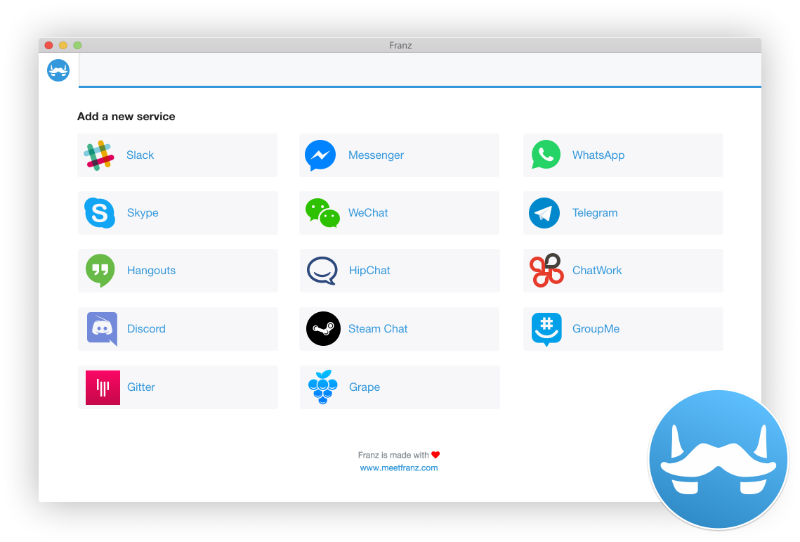
franz_screenshot

List of the 14 messaging services supported by Franz:

  • WhatsApp
  • Telegram
  • Facebook Messenger
  • Skype (messaging only)
  • Steam Chat
  • Google Hangouts
  • Slack
  • HipChat
  • WeChat
  • GroupMe
  • Gitter
  • ChatWork
  • Discord
  • Grape

Download & Install Franz Messaging App

To download Franz messaging app, visit http://meetfranz.com/ and click on download button. Download the newly released version of Franz and then extract. Now double-click on the “Franz” to run the Franz messaging app.


Tags: Download Franz Messaging App on Linux, Download Franz Messaging App on Ubuntu, Download Franz Messaging App on Ubuntu 16.04, Install Franz Messaging App on Linux, Install Franz Messaging App on Ubuntu, Install Franz Messaging App on Ubuntu 16.04, Linux Download Franz Messaging App, Linux Install Franz Messaging App, Ubuntu 16.04 Download Franz Messaging App, Ubuntu 16.04 Install Franz Messaging App, Ubuntu Download Franz Messaging App, Ubuntu Install Franz Messaging App

Primary Sidebar

Latest Posts

Downlaod Ubuntu 26.10 Stonking Stingray

How To Shutdown Linux With A 15 Minute Delay And Message

Using Linux Terminal How To Get Total Disk Size In GB

Count And Find Number Of Files In A Linux Directory Using Command

Check How Many Users Are Created In Linux Ubuntu

How To Check User Permissions In Linux Using Command

Check Which Folder Is Taking More Space In Ubuntu Linux

How to Install Claude Desktop App in Ubuntu Linux

Job Scheduling Using At Command In Linux With Examples

How To Check Permissions Of A Directory In Linux Command

© 2026 Source Digit • Linux, Ubuntu Tutorials & News, Technology, Gadgets & Gizmos

  • Home
  • About
  • Privacy Policy
  • Terms & Conditions
  • Contact Us
  • Sitemap