
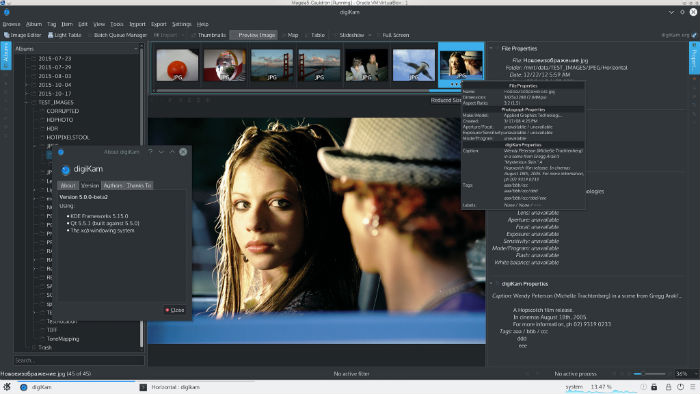
Install digiKam 5.5.0 on Ubuntu 16.10, Ubuntu 16.04 and other Ubuntu Derivatives. digiKam 5.5.0 is an advanced digital photo management application for Linux, Windows, and Mac-OSX. digiKam is designed for editing images. It can be used to import, organize and export digital photos to and from your computer. digiKam 5.5.0 has been released with many […]
How To Install Pidgin On Ubuntu Via PPA

Install Pidgin 2.12 in Ubuntu 16.10 and Ubuntu 16.04 via PPA. Pidgin 2.12.0 is the latest release of the Pidgin internet messenger application. Pidgin 2.12.0 removed protocols that were not being maintained: Facebook XMPP, MSN, MySpace, Mxit, and Yahoo!. These will show up as unknown in your account lists until you delete them. Pidgin is […]
Install VidCutter – Video Cutter For Linux Ubuntu
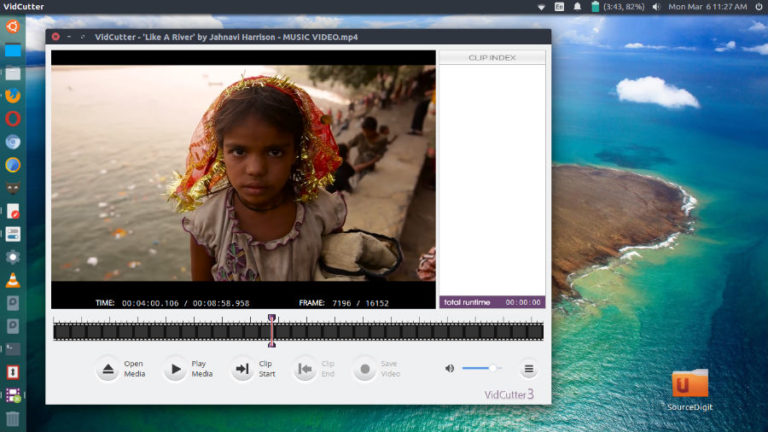
Install VidCutter app; video cutter for Linux Ubuntu. Using VidCutter, uers on Linux can cut video without reencoding. VidCutter is a cross-platform Qt5 based app for quick and easy video trimming/splitting and merging/joining for simple quick edits. FFmpeg based backend, which is supplied for Windows, and written in Python3 & the excellent PyQt5 GUI framework. […]
Install Disk Encryption Software Veracrypt On Linux Ubuntu

Install disk encryption software Veracrypt using Linux command line. Veracrypt is a full disk encryption software for Linux Ubuntu Systems. VeraCrypt is brought to you by IDRIX (https://www.idrix.fr) and that is based on TrueCrypt 7.1a. VeraCrypt adds enhanced security to the algorithms used for system and partitions encryption making it immune to new developments in […]
Install The Latest KdenLive Video Editor On Ubuntu Linux
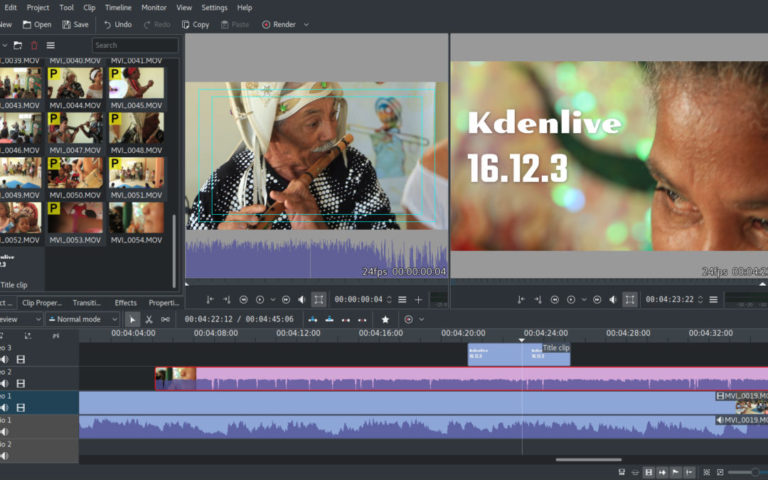
KdenLive Video Editor for Ubuntu Linux. Install Kdenlive 16.12.3 Video Editor on Ubuntu 16.10, Ubuntu 16.04 and other Ubuntu Derivatives. Kdenlive, the KDE Non-Linear Video Editor is an open source video editor built on Qt and the KDE Frameworks libraries. Based on the powerful FFmpeg libraries, Kdenlive can use almost any audio and video formats […]
Oracle Virtualbox 5.1.16 Released – Install Virtualbox On Ubuntu Linux
Oracle Virtualbox 5.1.16 released. Install Oracle Virtualbox on Ubuntu Linux Systems. VirtualBox is a general-purpose full virtualizer for x86 hardware, targeted at server, desktop and embedded use. VirtualBox 5.1.16 (released 2017-03-08) is a maintenance release. The following items were fixed and/or added: VMM: don’t access the MSR_IA32_SMM_MONITOR_CTL MSR if dual-monitor treatment is not available (KVM […]