
How to convert audio/video/image files in Ubuntu. Install FF Multi Converter in Ubuntu 14.04/14.10. Convert audio, video, image and documents/files with FF Multi Converter. FF Multi Converter is a simple graphical application which enables you to convert audio, video, image and document files between all popular formats, using and combining other programs. It uses ffmpeg […]
Ubuntu 14.10
How to Install LibreOffice 4.4 in Ubuntu 14.04
How to Install LibreOffice 4.4 in Ubuntu 14.04. How to upgrade to LibreOffice 4.4 in Ubuntu 14.04, Ubuntu 14.10 and Ubuntu Derivatives. LibreOffice 4.4 is the most beautiful LibreOffice ever. LibreOffice 4.4 has been released with major UI revamps. Download & Install LibreOffice 4.4 1. Before you begin, remove the previous version of LibreOffice installed […]
Install PlayonLinux and Run Microsoft Windows Programs on Linux Ubuntu
Install Windows software on Linux Ubuntu/Mint. Here’s how to run Windows programs and softwares on Linux Ubuntu/Mint Systems. Install PlayonLinux in Ubuntu/Linux Mint via PPA and run Microsoft Windows programs on Linux Ubuntu. PlayOnLinux software allows you to easily install and run/use numerous games, software and apps designed to run with Microsoft Windows. In simple […]
How To Install Syncthing 0.10.26 On Ubuntu 14.10 and Ubuntu 14.04
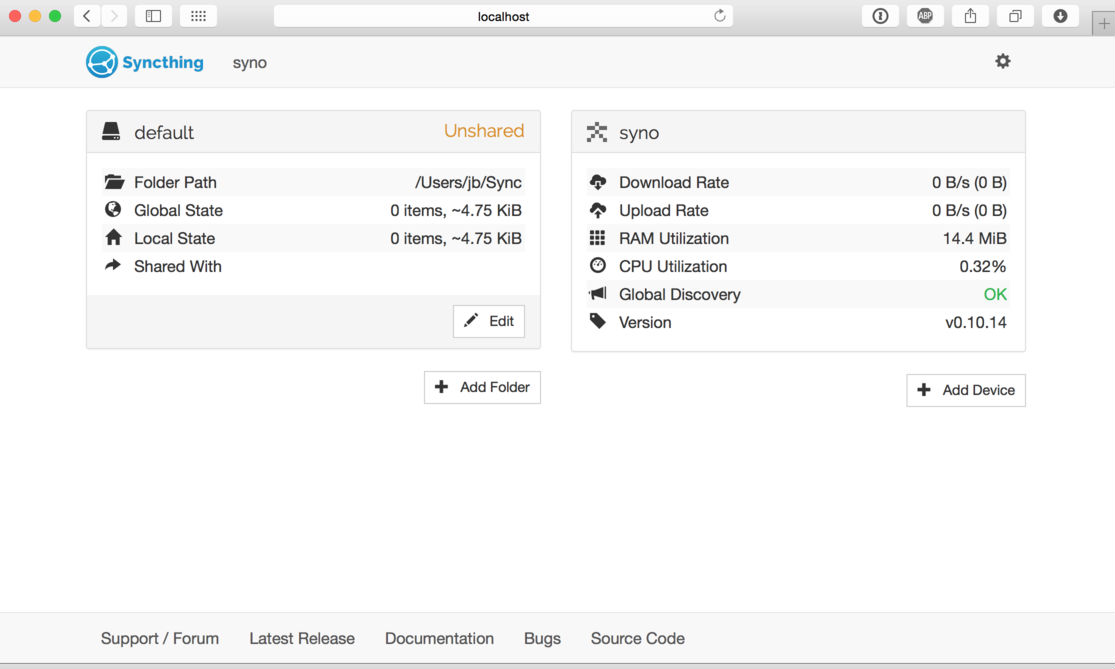
How to install Syncthing 0.10.26 on Ubuntu 14.10 and Ubuntu 14.04. Syncthing is an open-source file synchronization client/server application. It allows users to easily synchronize files and directories between different computers in a secured, encrypted manner. Syncthing is still in development, although a large number of features have already been implemented: Web GUI. Configure and […]
How to Install Audacious 3.6 in Ubuntu 14.04/14.10
How to Install Audacious 3.6 in Ubuntu Systems. Download, upgrade or install Audacious 3.6 music player (with new Qt UI) in Ubuntu 14.10 and Ubuntu 14.04. The latest release of Audacious music player (3.6) brings the new Qt-based user interface. The latest Qt 5 UI can be installed alongside the existing GTK+ and Winamp Classic […]
Install Go For It (To-Do List App) on Ubuntu 14.04 & Ubuntu 14.10

How to install “Go For It” To-Do List Software on Ubuntu 14.10, Ubuntu 14.04 and Linux Mint Systems. Go For It is a To-Do List Application for Linux Ubuntu and Mint Systems. “Go For It” is an advanced “To-Do List” application for Ubuntu 14.10, Ubuntu 14.04 and Linux Mint Systems. “Go For It – To-Do […]