How to update Calibre on Linux. Install Calibre 2.57 on Ubuntu 16.04, via PPA. Terminal commands to install Calibre ebook management software on Linux Ubuntu Systems. Calibre is a popular ebook reader which is also a powerful e-book management software. Calibre has many powerful features. Best of all, Calibre comes with an inbuilt e-book conversion feature. Calibre supports all the popular eBook formats such as epub, cbz, mobi, fb2 and others.
calibre is a free and open source e-book library management application developed by users of e-books for users of e-books. It has a cornucopia of features divided into the following main categories:
- Library Management
- E-book conversion
- Syncing to e-book reader devices
- Downloading news from the web and converting it into e-book form
- Comprehensive e-book viewer
- Content server for online access to your book collection
- E-book editor for the major e-book formats
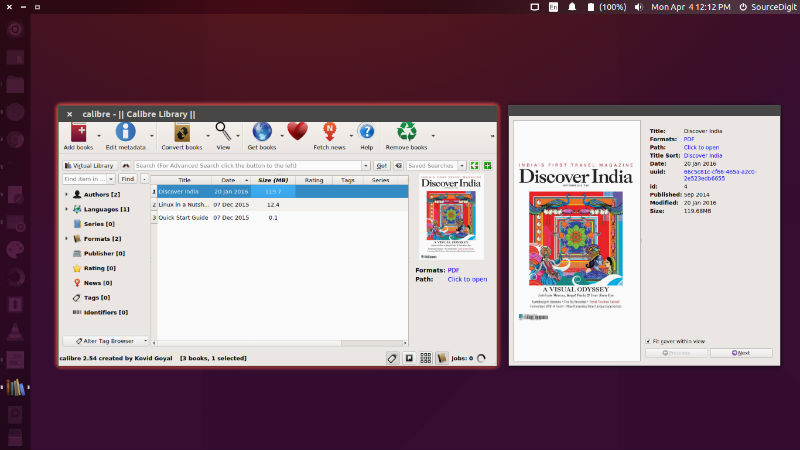
Calibre is an ebook library manager. It can view, convert and catalog ebooks in most of the major ebook formats. It can also talk to many ebook reader devices. It can go out to the Internet and fetch metadata for your books. It can download newspapers and convert them into ebooks for convenient reading. It is cross platform, running on Linux, Windows and OS X.
Calibre 2.57
Calibre 2.57 is the latest version available. With this release, the ImageMagick dependency has been removed. The changelog shows that Calibe 2.57 brings new feature that removes the calibre dependency on ImageMagick — reduces calibre install size by ~ 15MB
Calibre 2.57 has been released with the following changes.
New Features
- Driver for the Bq Cervantes 3
- A new “Ornamental” cover design for the “Generate cover” feature
- Windows: Use a helper process that does not load any calibre DLLs to display file open/save dialogs. This should fix most crashes caused by poorly designed windows shell extensions.
- Allow pressing Alt+O as a shortcut for click the OK button in the Add from ISBN dialog.
- Remove the calibre dependency on ImageMagick — reduces calibre install size by ~ 15MB
- Edit book: Add a new image filter: Normalize — to improve the contrast in images
- Edit book: Add a filter to make images look like oil paintings
- Use ‘Not rated’ for zero stars in all rating spin boxes
Bug Fixes
- Edit Book: Fix a crash in the Insert Link tool if one of the HTML files contains an empty id.
- Fix tag like custom columns not sorted when displayed in the Book Details panel.
- Fix transient window shown during Edit Book startup
- Preserve booklist horizontal scroll position when merging books.
- Google Images metadata download plugin: Fix error when searching for books with non-English characters in the title or author names.
- Template language: Fix an error formatting dates when the underlying date does not have a day.
- Preferences->Keyboard: Fix unable to use Alt+A and Alt+S as custom shortcuts.
Improved news sources
- Folha de Sao Paolo
- Barrons
- Economist
- Deutsche Welle (English and Spanish editions)
- Die MIT Technology Review
- Financial Times UK
- Telegraph UK
- The Guardian
- Spiegel Online
- Brand Eins
- Focus.de
- The Toronto Star
- The Atlantic
- Capital.de
- The Times of India
- The Economic Times India
Install Calibre 2.57
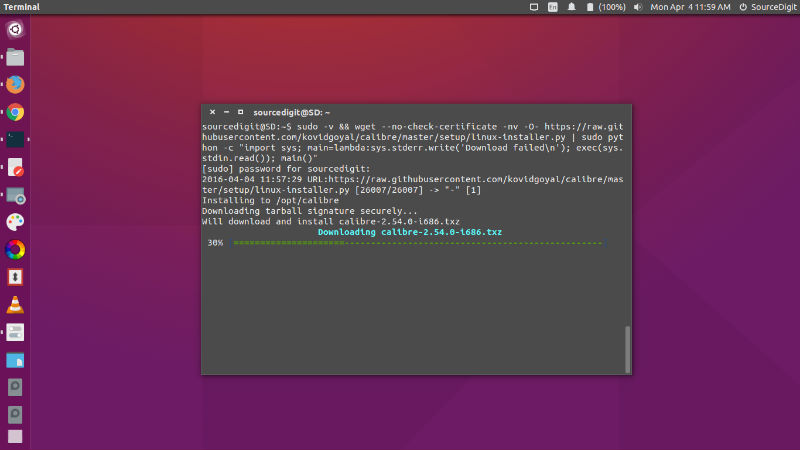
Run the following commands in Terminal to install Calibre 2.57 on Ubuntu 16.04, Ubuntu 15.10, Ubuntu 14.04, Ubuntu 15.04, Ubuntu 14.10 and Ubuntu Derivatives Systems:
$ sudo add-apt-repository ppa:n-muench/programs-ppa

$ sudo apt-get update

$ sudo apt-get install calibre
You can also install Calibre 2.57 using the following command:
$ sudo -v && wget --no-check-certificate -nv -O- https://raw.githubusercontent.com/kovidgoyal/calibre/master/setup/linux-installer.py | sudo python -c "import sys; main=lambda:sys.stderr.write('Download failed\n'); exec(sys.stdin.read()); main()"
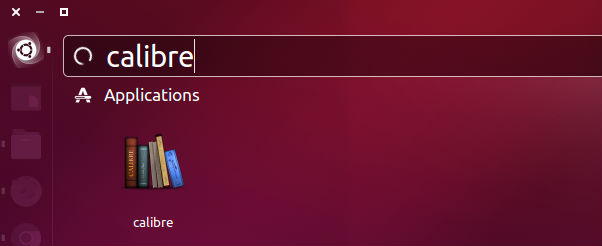
Once installed, open the Calibre ebook reader from Ubuntu Dash or Terminal. Run “calibre” to start calibre.