
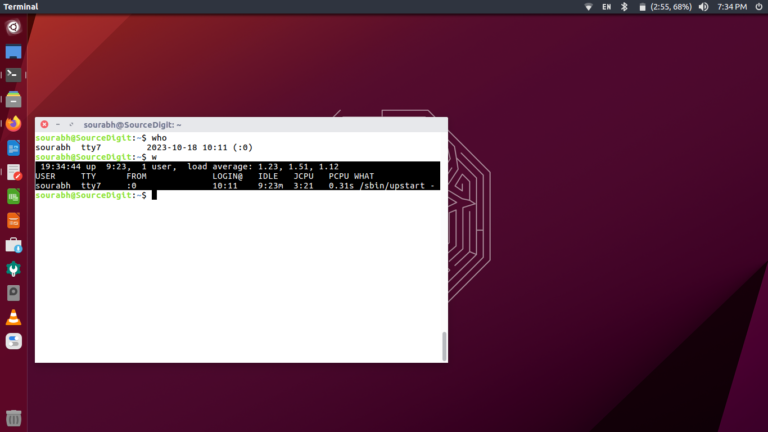
If you are looking for ways to check user activity log in Linux, you can use the who command to see the list of users who are currently logged in Linux Ubuntu. How To Check User Activity Log In Linux There are various commands to get the list of users who are currently logged in […]
How To
How-to tutorials for Ubuntu, Linux, Android, WordPress, websites and more. Learn about Ubuntu Linux how to solve problems, errors, manage updates, fix issues and add functions & features.
How To Compare Two Directories In Linux Recursively

How to compare two directories in Linux recursively and compare files in two directories. This tutorial explains how to compare two directories for missing files and differences in Linux. Compare two directories for missing files in Linux The ‘comm’ command is used to compare two sorted files line by line. The ‘comm’ writes to standard […]
How To Fix Username Is Not In The Sudoers File In Ubuntu Linux

How to fix username is not in the sudoers file, this incident will be reported in Ubuntu. How to add user to sudoers file which is not in sudoers file. Reason for the error “Username is not in the sudoers file This error is reported in Ubuntu when: 1. Fixing Sudo Error Using /etc/sudoers Open […]
How To Clear Terminal Screen In Linux Command Line

How to clear terminal screen in Linux command line. Learn how to use clear command in Linux with examples to clear Terminal Ubuntu. Linux Command To Clear Terminal Screen To clear terminal screen in Linux Ubuntu, the simplest command is “clear” to clear terminal screen: clear The clear command doesn’t need any option with itself. […]
How To Check Upgradable Packages In Ubuntu

On Ubuntu list package versions or use apt (apt list –upgradable command) to check package version available for the system. To update the list of packages in the Ubuntu repository; we run “sudo apt update” command to update the list of packages on the repository. Similarly to upgrade the packages that are pending updates, we […]
Find And Delete Files In Linux Older Than 30 Days
How to find and delete files in Linux older than 30 days. Here is the terminal command to find and delete files recursively Linux. You can easily find and remove multiple files with the extension or delete files older than 7 days in Linux. Find and Delete Files Older Than X Minutes Run the following […]