
Install Sublime Text Editor on Linux Ubuntu Systems – Ubuntu 15.04, Ubuntu 14.04, Linux Mint and Derivatives. Sublime Text is a sophisticated text editor for code, markup and prose. The editor is known for its slick user interface, extraordinary features and amazing performance. Three most notable features of Sublime Text Editor are: Split Editing: For […]
How To
How-to tutorials for Ubuntu, Linux, Android, WordPress, websites and more. Learn about Ubuntu Linux how to solve problems, errors, manage updates, fix issues and add functions & features.
Install Vivaldi Web Browser on Ubuntu 15.04 & Ubuntu 14.04, via PPA
Install Vivaldi web browser on Ubuntu, via PPA. Terminal commands to download and install Vivaldi Web Browser (Snapshot 1.0.249.12) on Ubuntu 15.04, Ubuntu 14.04 and Derivatives. The latest release, Vivaldi (Snapshot 1.0.249.12) comes with web panels, extension buttons UI, progress bar info and tab performance improvements. Web panels – The most striking feature of Vivaldi […]
Install APT 1.1 Package Manager on Linux Ubuntu 15.04 & Ubuntu 14.04

APT (Advanced Package Tool) – The default package manager for Debian and Ubuntu Systems. Install APT 1.1 on Linux Ubuntu 15.04 and Ubuntu 14.04. The latest release (APT 1.1) comes with some powerful usability improvements. You must be aware that starting from APT 1.0, the APT package manager displays the installed and upgradable packages. It […]
Install Dekko Ubuntu Touch Email Client On Ubuntu Desktops
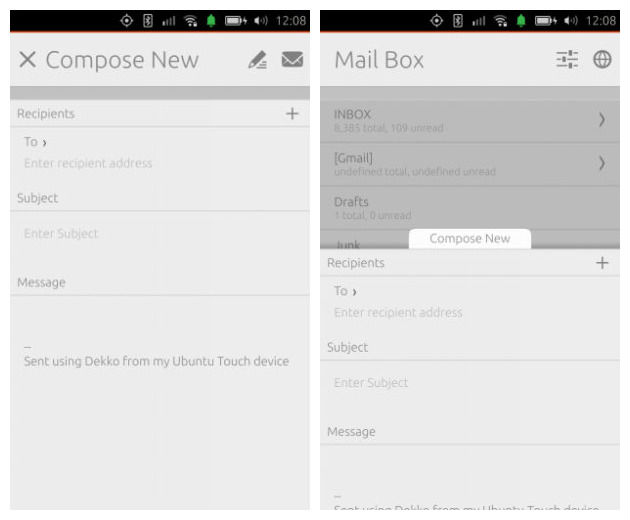
Dekko Ubuntu Touch email client. You can install Dekko 0.5.7 Beta (Email Client for Ubuntu Touch) on Ubuntu Systems (Unity Desktop). Dekko email client for Ubuntu is a native IMAP email client for Ubuntu Touch Devices. Luckily, it can be installed on Ubuntu Desktops. Dekko is still in beta phase and has few flaws. It […]
How to Set Shutter As The Defaut Screenshot Tool in Gnome3/Unity/KDE
How to set Shutter as the default screenshot grabbing tool in Gnome3/Unity/KDE desktop environments. Shutter is a popular screenshot tool available for Linux Ubuntu systems. The latest version Shutter 0.93, includes Dropbox integration and support for vgy.me. If you haven’t installed the latest version Shutter 0.93, follow the tutorial to install Shutter 0.93 on Ubuntu […]
How To Switch Off & Disable Systemd in Ubuntu 15.04
Switching init systems on Ubuntu 15.04. Use Upstart in Ubuntu 15.04; How To Switch Off & Disable Systemd in Ubuntu 15.04. Switch to upstart for a single boot or permanent switch back to upstart on Ubuntu 15.05 System. Please note that systemd is only fully supported in Vivid and later releases. systemd is available in […]