

How to disable Gutenberg and return to the Classic WordPress Editor. The WordPress Classic Editor Plugin replaces WordPress Gutenberg and is one of the best free WordPress Plugins for blogs, to disable Gutenberg and return to the Classic WordPress Editor. WordPress makes it easy to disable Gutenberg and return to using the classic editor (aka: […]
How To
How-to tutorials for Ubuntu, Linux, Android, WordPress, websites and more. Learn about Ubuntu Linux how to solve problems, errors, manage updates, fix issues and add functions & features.
Linux Shutdown Command Example to Shutdown Ubuntu from Terminal
How to shutdown Ubuntu from terminal command line. Ubuntu shutdown command examples for using Ubuntu shutdown command immediately or Ubuntu shutdown command with 15 minute delay. Shutdown Command The shutdown command brings the system down in a secure way. All logged-in users are notified that the system is going down, and login operations are blocked. […]
How to Install Python 3.9 on Ubuntu 20.10 and Ubuntu 20.04
Python 3.9.0 released. How to install Python in Linux Ubuntu via command line. Here are the terminal commands to install Python 3.9 on Ubuntu 2010 and Ubuntu 20.04 Python 3.9.0 is the stable release of Python programming language, and it contains many new features and optimizations. Python 3.9.0 new features Some of the new major […]
Best WordPress Image Compression & Image Optimization Plugin

Wondering “how to optimize images for SEO in WordPress website?” Here are some of the best free image optimization plugins for WordPress. You can use these WordPress plugins for image optimization and image compression. 1. Smush – Compress, Optimize and Lazy Load Images Download: https://WordPress.org/plugins/wp-smushit/ Optimize your images turn on lazy load, resize, compress and […]
How to Temporarily Disable or Deactivate Instagram Account

Do you want to deactivate Instagram account on Android? Here is how to permanently disable Instagram account. Users can also delete Instagram account on Android permanently. Temporarily disable my Instagram account To temporarily disable your Instagram account: Log into instagram.com from a mobile browser or computer. You can’t temporarily disable your account from within the […]
BleachBit 4.1.1 Released: How to Install & Use BleachBit in Ubuntu
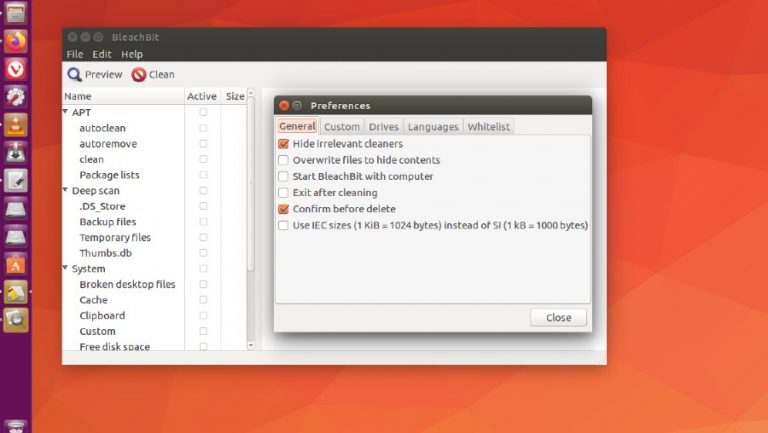
Install the latest BleachBit in Ubuntu via command line. If you want to clean junk files and temp files in Ubuntu, here is how to use BleachBit in Ubuntu. BleachBit 4.1.1 BleachBit you can free cache, delete cookies, clear Internet history, shred temporary files, delete logs, and discard junk you didn’t know was there. Designed […]