

Use these best WordPress user chat room plugin which allows WordPress one to one chat. These WordPress live chat plugin can work as private chat plugin for WordPress and whtasapp chat plugin for WordPress. Zendesk Chat The Zendesk Chat app will let you answer your customer’s questions in real time and ease them into a […]
How To
How-to tutorials for Ubuntu, Linux, Android, WordPress, websites and more. Learn about Ubuntu Linux how to solve problems, errors, manage updates, fix issues and add functions & features.
5 Best Instagram Photo Editor Apps for Android

Download these best apps to edit photos for Instagram. Here is the collection of 5 best apps for editing photos for Instagram for Android. 1. Snapseed Download: iOS and Android Snapseed is a complete and professional photo editor developed by Google. It comes with 29 tools and filters, including, healing, brush, structure, hdr, perspective and […]
Intricate Tips To Propel Your Instagram Marketing Strategy To Success

Instagram is being integrated as a promotional platform across business verticals. Due to its visual-centric nature, it has emerged as a popular platform for businesses to promote their venture using the platform. The platform has around a billion active users and serves ads to more than 849 million users globally. These metrics are huge, and […]
Install KeePassXC 2.46 Password Manager for Linux Ubuntu
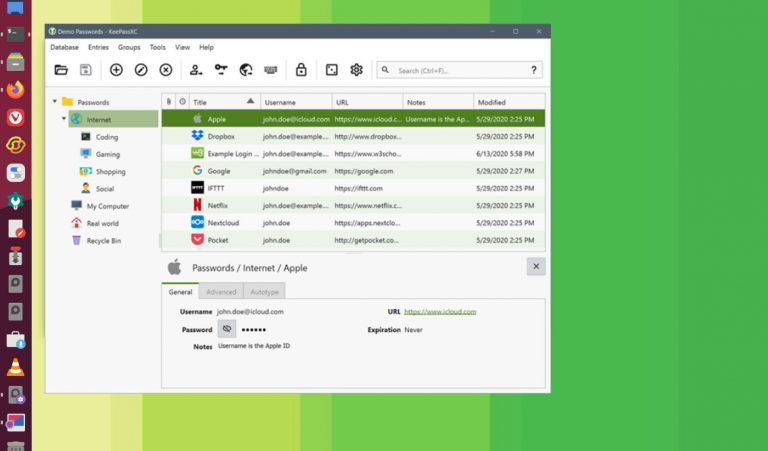
How to install KeePassXC 2.6.1 on Ubuntu Linux. KeePassXC is the best free password manager for Linux Ubuntu. KeePass 2.46 is released with TLS 1.3 Support on .NET 4.8+ KeePassXC stores and manages all kinds of sensitive information and personal data, such as usernames, passwords, URLs, attachments, and notes in an offline, encrypted file that […]
How to Install FileZilla FTP Client in Ubuntu 20.04

How to install FileZilla FTP Client via PPA on Ubuntu Linux. The FileZilla FTP Client for Linux Ubuntu is a fast and reliable cross-platform FTP, FTPS and SFTP client with lots of useful features and an intuitive graphical user interface. The FileZilla Client not only supports FTP, but also FTP over TLS (FTPS) and SFTP. […]
How to Install Wine in Ubuntu Using Terminal
How to install wine in Ubuntu terminal. Learn to install and use wine in Ubuntu. Wine (originally an acronym for “Wine Is Not an Emulator”) is a compatibility layer capable of running Windows applications on several POSIX-compliant operating systems, such as Linux, macOS, & BSD. Instead of simulating internal Windows logic like a virtual machine […]