
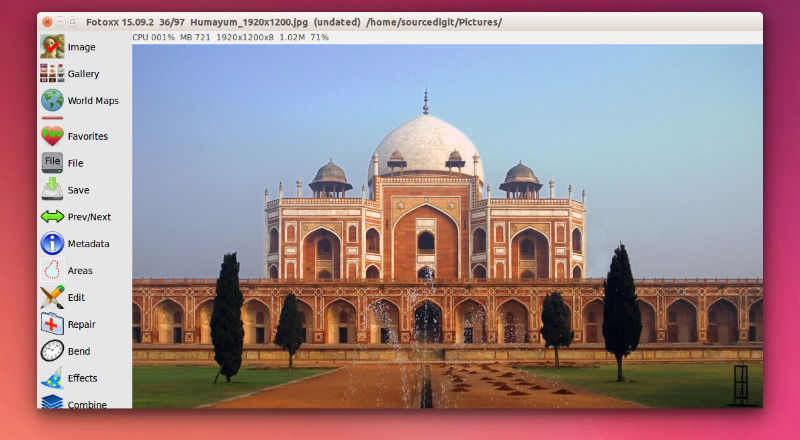
Install Fotoxx 15.09 on Ubuntu 15.04, Ubuntu 14.04 and Linux Mint. Fotoxx image editor & viewer is an open source Linux program for editing photos or other images and managing a large collection. Fotoxx can import RAW images and perform all processing in deep color (24 bits per color are used internally). Edited images can […]
Uncategorized
Install Google Chrome 45 (Web Browser) On Ubuntu, via PPA

Google Chrome 45 for Linux Ubuntu has been released. Install Chrome web browser on Ubuntu 15.04, Ubuntu 14.04 and Debian Systems. Chrome 45 (45.0.2454.85) is the latest stable version released. Chrome 45.0.2454.85 contains a number of fixes and improvements. This update includes 29 security fixes. Google Chrome is one of the most popular web browsers […]
Install Atom 1.0.10 Text Editor On Ubuntu 15.04 & Ubuntu 14.04
Atom Text Editor for Linux Ubuntu Systems. Install Atom 1.0.10 Text Editor (via PPA) on Ubuntu 15.04 and Ubuntu 14.04. Atom is a popular text editor developed by GitHub, for Linux Ubuntu Systems. Atom is specially designed for web programming languages – CSS, HTML, JavaScript and others. Atom Text Editor comes with many powerful features […]
How To Install Kali Linux Tools On Ubuntu 15.04, Ubuntu 14.04 & Debain

Automatically install all Kali Linux tools on Ubuntu and Debian. Install and use “Katoolin” in Ubuntu 15.04, Ubuntu 14.04 and Debian, to install Kali Linux tools at once. Besides able to install Kali Linux tools, Katoolin tool can add Kali Linux repositories and/or remove Kali Linux repositories in an easy manner. Katoolin is a powerful […]
Install Font Manager On Ubuntu 15.04 & Ubuntu 14.04, via PPA

Install new fonts on Ubuntu via Ubuntu Font Manager. Install Font Manager on Ubuntu 15.04 and Ubuntu 14.04, via PPA. Font Manager 0.7.2 is a simple font management for GTK+ desktop environments. Font Manager application allows to manage fonts via a simple GUI. It can be used to install new fonts or remove installed fonts […]
Install SShuttle Proxy-Based VPN (Using SSH) on Ubuntu 15.04 & Ubuntu 14.04

sshuttle transparent proxy-based VPN (using ssh) for Linux Ubuntu. Install and use SShuttle on Ubuntu 15.04, Ubuntu 14.04 and Derivatives. sshuttle allows you to create a VPN connection from your machine to any remote server that you can connect to via ssh, as long as that server has python 2.3 or higher. Please note that […]